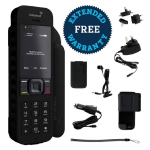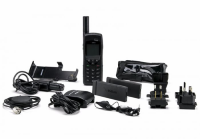
The Iridium satellite phone offered a vital link to evacuation authorities when one of our canoes got damaged, and the reception was... More

Dimitry Sapon
Maple, ON

More Testimonials

Configuration

GeoPro Configuration Complete Control.

The GeoPro solution is ground-breaking. Here's why, although safety and productivity are universal concerns; organizations are not the same when it comes to their remote workforce requirements. For instance, tightly controlled check-ins may be standard practice for some, and not for others. That's precisely why we designed the GeoPro solution to be easily tailored to reflect your organization's specific safety practices, operating environment and culture.

Simply point-and-click to immediately:

  • Assign or re-assign devices to individuals or groups
  • Define roles and permissions including access to data and to perform certain tasks
  • Define shared address books, predefined message books, and waypoints
  • Set up notification and escalation rules for emergency incidents and employees who fail to check-in
  • Define who is authorized to declare an emergency on behalf of an employee using a compatible device
  • Define and assign check-in schedules to individuals or groups; schedules can be on-demand, at specified intervals or defined times
  • Turn location tracking on or off and define tracking intervals
  • Choose from several mapping options from ESRI® including Bing™ and World Topographic Maps
  • View dashboards, reports and a whole lot more

GeoPro is incredibly easy to configure, but if you need an extra hand getting started, Roadpost's professional services experts can help. Contact us for more information on the GeoPro solution.


GeoPro Device User Field personnel can also tailor their GeoPro compatible devices to suit their personal preferences using Device Manager. Find out more about what field users can configure on their preferred device.


Take a tour of the GeoPro solution: